Pictograms
Required for NSW Government Masterbrand products
Pictograms represent a word or idea using simple and clean illustration.
Usage
Used pictograms to visually support and highlight content, making it quickly identifiable on the page.
Styling
Pictograms are built on a 48px by 48px base grid. Leave 3px of clear padding around the artwork to create a buffer. Where possible, draw the pictogram to the edge of this padding.
For full pictograms creation guidance, visit your relevant brand classification guidelines at the NSW Government Visual identity system.
|
Sizing |
Stroke |
Padding |
Live Area |
|---|---|---|---|
|
48px x 48px |
1px |
3px |
42px x 42px |
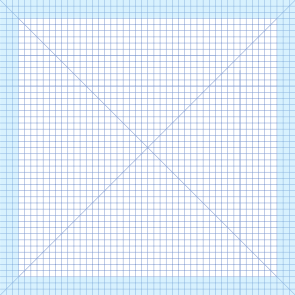
3px of padding surrounds the live area.

Pictogram content should remain inside the 42px x 42px live area.
Designing
Creating SVGs
The majority of design software allows you to create an SVG file by selecting this format when exporting.
Tips for creating SVGs:
- Flatten and outline all elements
- Do not use masks
- Ensure white colour is intentionally white and transparent is intentionally transparent
Benefits of using SVGs
SVGs are scalable vector graphics made up of points, lines and shapes which can easily be adapted in size making them an advantageous choice for responsive design. Other benefits of using SVG format over other raster formats (for example JPEG, GIF and PNG) include:
- Ability to scale and graphic to any size without losing quality
- Smaller file sizes means your page will load faster
- Easily editable strokes and colours through CSS